Founder field note
Indie Startup Launch Submission Form Template: A Founder’s Worksheet
Use this indie startup launch submission form template to shape clear answers, choose proof, label launch status, and give readers one useful next step.
An indie startup launch submission form template helps you prepare a clear product description, show who it serves, state what is ready now, and give interested readers a practical next step. Use the worksheet below to draft your answers before submitting; replace every bracketed prompt with a specific, accurate detail, and leave out anything you cannot verify.
1. Decide what “launch” means for your product
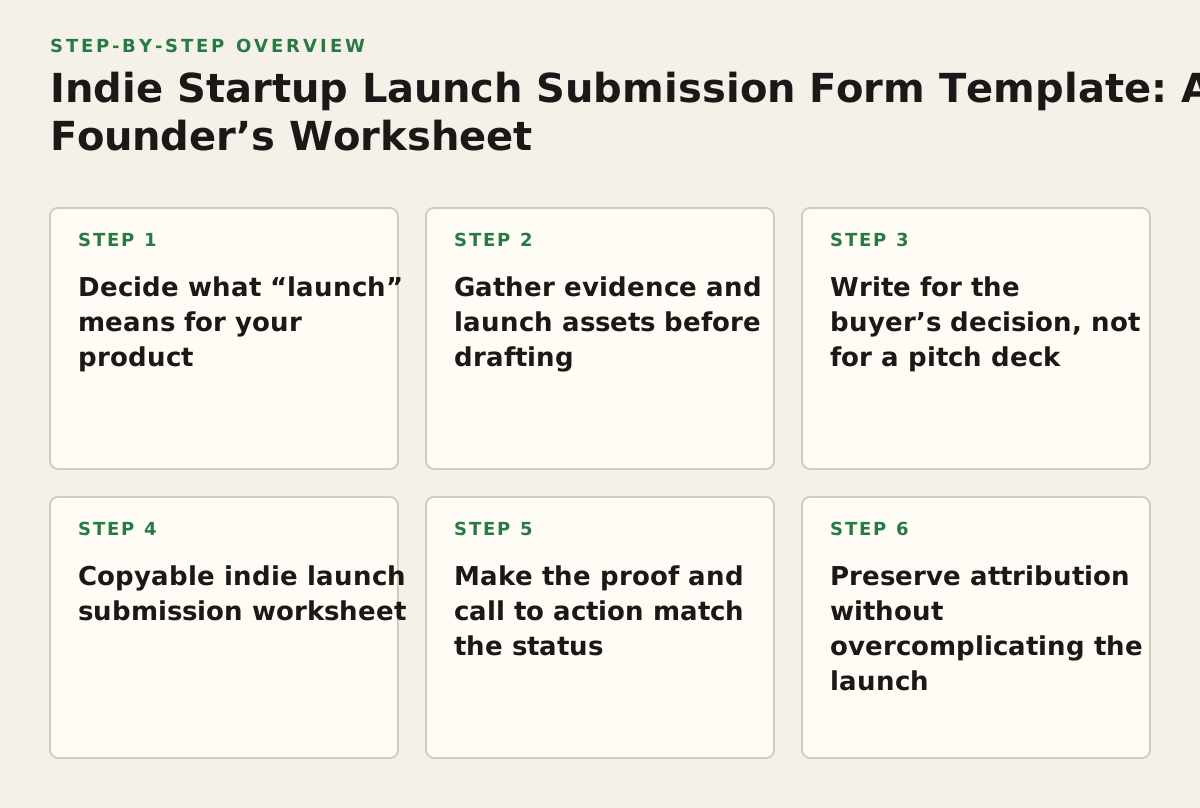
When this applies: whenever people could mistake a waitlist, private beta, and generally available product for the same thing. Why it works: readers can judge whether they can try the product now, join a test, or follow its progress. Clear status also prevents a polished launch description from promising access you are not yet offering.
Choose the status that describes what a new visitor can do today, not the milestone you hope to reach next. A product can be useful before every feature is finished, but the boundary between available and planned should be explicit.
- Available: a visitor can access the product now, subject to any stated limits.
- Beta or early access: selected users can try it, or you are inviting new testers under stated conditions.
- Coming soon: visitors cannot use it yet; say whether they can register interest or follow updates.
- Reopening or relaunching: explain what has changed and what action is available now.
Failure mode: calling a closed test “launched” without saying that access is restricted. Implementation example: “Private beta: request access to test the current scheduling workflow. The mobile app is planned, not available yet.” That gives readers a usable boundary and makes the next step understandable.
2. Gather evidence and launch assets before drafting
When this applies: before filling out a form, especially if you are rushing to announce a first release. Why it works: having the facts and links together reduces contradictory copy and makes it easier to support a concrete claim. Market research is useful for checking audience, demand, and alternatives; the U.S. Small Business Administration outlines those as areas to investigate in its market research and competitive analysis guide.
Make a small source folder or notes page with the information you can stand behind. The goal is not to assemble a pitch deck; it is to answer likely reader questions without guessing.
- Product destination: a live product page, app listing, demo, or signup page that matches the status you stated.
- Audience evidence: notes from conversations, support questions, observed workflow problems, or other evidence of the need. Summarize what you actually observed, not what you assume every buyer thinks.
- Visuals: a product screenshot or short demonstration that shows the product rather than a generic illustration. Check that it does not expose private user information.
- Claims and limits: a list of factual statements you can substantiate, plus constraints such as supported use cases, access conditions, or features still in progress.
Failure mode: using a mockup as if it showed a working product, or describing a planned capability as available. Implementation example: if a reporting tool currently exports a weekly CSV but does not yet sync automatically, show the export screen and state that automatic sync is planned. The Federal Trade Commission says advertising claims should be truthful, not misleading, and supported by evidence; use its advertising and marketing guidance as a reminder to check claims before publishing.
3. Write for the buyer’s decision, not for a pitch deck
When this applies: when your draft relies on broad labels such as “AI-powered,” “all-in-one,” or “for everyone.” Why it works: a prospective user can recognize a familiar problem faster than they can decode a founder’s category language. A concise description should connect a particular person, a particular task, and the way your product helps.
Use this drafting pattern: For [specific user] who [recurring situation], [product] helps them [task or outcome] by [how it works]. Keep the outcome within your control. “Creates a first draft from meeting notes” is more checkable than “transforms your team’s productivity.”
Choose a narrow starting audience
Name a role or type of team and the situation in which the product is useful. If you serve several groups, pick the one your current product serves best. You can mention other audiences only if doing so does not blur the main use case.
Make the mechanism visible
Say what the user does with the product: upload a file, review a queue, generate a report, or invite a collaborator. A reader should be able to imagine the first interaction. If the mechanism needs a long explanation, lead with the task and move secondary capabilities elsewhere.
Failure mode: claiming a sweeping outcome without showing how the product produces it. Implementation example: replace “the complete AI workspace for modern teams” with “A meeting-notes tool for small consultancies that turns a transcript into a client-ready action list for review.” The revised version identifies a user, task, and mechanism without implying that every result is automatic or guaranteed.
4. Copyable indie launch submission worksheet
Copy this table into a document and draft each answer before submitting. Keep the prompts in the working copy if they help your team review the answers; remove them only if the destination form does not ask for them. This is a preparation worksheet, not a claim about the fields required by any particular platform.
| Field | Prompt / question to answer |
|---|---|
| Product name | What name should appear, and is the spelling and capitalization consistent with your product page? |
| One-line description | For [specific user] who [situation], what does [product] help them do, and how? |
| Problem and audience | Who encounters [specific problem], and in what context? What observation supports this description? |
| How it works | What does the user do first, and what does the product produce or make easier? |
| Launch status | Is it available, in beta, invitation-only, or coming soon? What can a visitor actually do today? |
| Proof or demonstration | Which live page, screenshot, demo, or other asset best shows the current product? What does it not show? |
| Limits and caveats | Which features, platforms, use cases, or access conditions should a reader not assume? |
| Reader’s next step | Should the reader try it, request access, join a list, view a demo, or contact you? What is the destination link? |
| Founder context | What brief detail about the team or reason for building it helps explain this product, without distracting from the user’s need? |
Worked example
Illustrative product: QueueNote, a fictional tool for independent podcast editors.
One-line description: QueueNote helps independent podcast editors turn a client’s episode notes into a trackable revision checklist, so requested changes are easier to review.
Problem and audience: Editors working with clients may receive revision requests across email and shared documents. This example assumes the founder has heard that pattern in customer conversations; replace it with evidence from your own research.
How it works: An editor adds the client’s notes, reviews the extracted checklist, and shares the items for approval.
Launch status: Private beta. Interested editors can request access; general availability is not being claimed.
Proof and next step: A screenshot of the checklist with sample, non-customer data. Invite readers to request beta access through the product page.
Adapt the fields: cut prompts that do not fit your product, but keep status, audience, evidence, and next step clear. For a developer tool, show the actual setup or output; for a consumer app, describe the first useful action. If an answer is uncertain, mark it for verification rather than dressing it up as fact.
5. Make the proof and call to action match the status
When this applies: when your description sounds convincing but the reader cannot tell what to click or whether the product is usable. Why it works: a relevant visual or destination lets someone check the claim and continue without guessing. Select one primary action that fits the product’s actual state; do not invite a reader to “try it” if the only available option is a waitlist.
- For an available product, link to the page where a new user can begin.
- For a beta, state any access request or eligibility step before the link.
- For a prelaunch product, invite a specific action such as following updates or registering interest.
- For a demo, say whether it is interactive, recorded, or a request for a conversation.
Failure mode: sending every reader to a generic homepage that hides the promised action. Implementation example: if your copy offers a guided demo, link directly to the demo request page and label the action “Request a demo,” rather than “Learn more.” Keep the screenshot consistent with the destination. GitHub’s documentation on README files describes them as a place to explain what a project does and how to use it; the same reader-first principle is useful when deciding what a product preview needs to explain.
6. Preserve attribution without overcomplicating the launch
When this applies: when you plan to share the same launch page in several newsletters, communities, or social posts. Why it works: consistent campaign tags can help you distinguish visits from different sources in analytics, if your site analytics are configured to collect them. Google Analytics documents campaign URL parameters such as source, medium, and campaign name in its campaign URL guidance.
Use a simple naming scheme and apply it consistently. For example, an illustrative convention might use source=founder_newsletter, medium=email, and campaign=launch_name. These values are examples, not a universal standard. Confirm that your analytics setup records the tagged visits, and avoid putting personal or sensitive information in URLs.
Failure mode: creating different tags for the same channel, then treating the resulting reports as directly comparable. Implementation example: write down the exact source and campaign names once, then reuse them in each link for that campaign. If you are not measuring traffic, skip tags rather than adding tracking work with no decision attached.
Keep the public page title and launch description aligned with the product name and primary use case. Google Search Central explains that title links may be generated from multiple page signals, so a page title is not an absolute guarantee of how a search result will appear; review its title link documentation before relying on a particular display. Avoid stuffing several audiences or feature claims into a title just to fit keywords.
7. Prepare, verify, submit, then follow through
Use this sequence to turn the worksheet into a submission without letting launch polish outrun product readiness. Each step ends in something you can check.
- Set the status. Write down what a visitor can access today and what remains unavailable. Make the public description agree.
- Collect the proof. Verify the destination link, capture a current product view, and remove private or sample data that could be mistaken for a real customer record.
- Draft the worksheet. Fill the audience, problem, mechanism, limits, and next-step fields. Ask someone unfamiliar with the product to identify what they think it does from the one-line description.
- Check claims and consistency. Compare each factual statement with the product as it exists now. Check names, links, status labels, and screenshots against one another.
- Submit and review the published result. Confirm the visible description and destination are accurate. If a field or requirement is unclear, verify it on the submission page instead of assuming.
- Follow the reader’s action. Make sure the destination is still live and that you can respond to the kind of interest you invited, such as beta requests or feedback.
Failure mode: submitting once and never checking whether the published description still matches the product. Implementation example: when beta access opens, update the status and next step before sharing the launch again. SuperPublic supports product launch submissions, launch-page publishing, and discovery of newly launched indie products; founders can submit your product launch after checking the current submission page for its requirements. If your launch is ready for discovery, SuperPublic can point readers toward SuperPublic’s launch and discovery platform.
Authored with NotFair SEO