Founder field note
How to Compare Daily Versus Weekly Startup Launches
Compare daily versus weekly startup launches to spot new products, build a focused shortlist, and choose the right window for launch research.
Compare daily versus weekly startup launches by matching the browsing window to the decision: use daily browsing to spot recent products and check what is appearing around your launch; use weekly browsing to review a broader set, compare alternatives, and notice shared themes. The daily view is a recency check; the weekly view is a category scan. Neither alone tells you whether a product has lasting demand, so use the window to decide what deserves closer research.
Choose the window by the question you need answered
A useful comparison starts with the job, not with a claim that one window is better. A founder preparing a launch may want to see what else is appearing now. A team comparing tools for a workflow may need more options in view before making a shortlist. An early adopter might want to notice a newly launched product today, then return to a broader set when deciding what to try.
SuperPublic supports daily and weekly browsing of indie product launches. Those windows give you different scopes for discovery: a day narrows attention to recent activity, while a week brings a wider set into the review. Use this simple test before opening either view:
- Choose daily when recency is part of the question: What appeared recently that I should inspect?
- Choose weekly when comparison is the task: Which products address this need, and how do their audiences or approaches differ?
- Use both in sequence when a new listing catches your attention and you want to place it among other recent options.
For example, a founder evaluating new analytics products could scan daily for an entrant they had not seen, then use the weekly window to compare the broader group by stated audience and problem. That sequence supports discovery first and comparison second. It does not establish which product is best; that requires checking details that matter to the founder’s actual workflow.
Keep the scope consistent. If the question is about tools for one job, compare products that address that job rather than treating every launch in a window as a direct alternative. If the question is about launch positioning, look at how relevant founders describe their users and problems. A window is a browsing boundary, not a substitute for deciding what belongs in the comparison.
Use daily browsing for recency and launch checks
Daily browsing is useful when waiting a week would make the information less relevant to your next action. A founder close to publishing can use it to notice related products appearing around the same time. An early adopter can use it to look for newly launched software or AI tools. An investor researching indie companies can treat a recent listing as a name to investigate, not as a finished assessment.
Because the daily view is narrow, it works best with a specific filter in mind. Choose a category, workflow, or audience before scanning. Otherwise, a quick check can turn into an unfocused pass through unrelated launches, leaving you with more names but no clearer decision.
Questions a daily scan can answer
- What is newly visible? Identify recent launches relevant to a workflow, customer group, or product area you follow.
- What should I inspect promptly? Note a product whose stated problem or audience overlaps with your research.
- What else is launching near mine? For a founder, look for contemporaneous products that may prompt a useful positioning or messaging question.
- What belongs on a follow-up list? Record only products that warrant checking against a defined need.
For a founder who has just submitted a product, the daily view can be a launch-day discovery check: see what else is being listed and identify any relevant products or descriptions to review. It is not a measure of how many people saw the founder’s page, how they responded, or whether they became users. If you are ready to publish, you can submit your product launch; do not assume that choosing a particular browsing window guarantees exposure.
Daily browsing is less useful when the decision requires a balanced comparison across several alternatives. A single day may show only part of the relevant set, and the products appearing then may not represent the full category. If a quick scan produces one interesting name, use that as a reason to widen the comparison rather than treating it as a market verdict.
Use weekly browsing for alternatives and patterns
Weekly browsing is a better fit when you need a broader discovery pass. The longer window gives you more launches to consider together, which can help when building an initial shortlist, reviewing adjacent products, or seeing whether several founders appear to address a related problem. It is also useful when a one-day scan is too narrow to answer the question you brought to the platform.
For instance, a bootstrapped founder considering a new service for independent teams can review a week of relevant launches and note how each product describes its intended users, problem, and difference. The point is not to count similar listings and declare a market validated. The notes help the founder find questions to test: Are these products aimed at the same buyer? Do they solve the same part of the workflow? Is the proposed distinction meaningful to a potential user?
What to compare across a wider set
- Problem: What job does each product say it helps someone do?
- Audience: Who does the launch appear to be for, and is that the audience you are researching?
- Approach: What stated capability or product angle differs from the other options?
- Evidence to verify: Which claims affect your decision and need checking on the product’s own site or with its team?
This turns a weekly scan into a shortlist rather than a pile of links. Keep the comparison bounded: if one item serves a different buyer or workflow, mark it as an adjacent product instead of forcing it into a direct ranking. A wider window improves the chance of seeing relevant alternatives, but it does not make unlike products comparable.
Weekly browsing also suits investors and researchers who are organizing emerging companies by problem area. A launch can supply a lead for follow-up research; the researcher still needs to verify the company’s product, intended customer, and current claims directly. For early adopters, the same wider scan can reveal options to investigate before trying a tool. In both cases, the browsing window helps identify what to examine, not what conclusion to reach.
Compare daily and weekly windows without mixing up the evidence
Daily and weekly browsing answer related but distinct questions. Use the same category and decision when moving between them; otherwise, a change in what you see may reflect a change in scope rather than a meaningful difference. A simple comparison note can keep the review grounded:
- Window: daily or weekly.
- Decision: discover a recent product, compare alternatives, or review positioning.
- Scope: the workflow, audience, or category being examined.
- Observation: stated problem, intended user, or product distinction.
- Next step: inspect the product, test it if appropriate, or ask a relevant user a focused question.
Keep launch discovery separate from measurement of your own website or product. Google Search Console documents comparisons between date ranges in its Performance report; that can support analysis of your site’s search metrics, but it does not measure what happened inside a launch-browsing window (Google Search Console Performance report). Google Trends data is scaled relative to the selected time and location, rather than being an absolute count of searches, so it can provide directional context but not a direct count of potential customers (Google Trends data FAQ).
For a separate market-research question, the U.S. Small Business Administration advises researching customers and competitors as part of assessing a market (SBA market research and competitive analysis). Its business-plan guidance places market analysis within a broader plan, rather than treating one observation as a business case (SBA guide to writing a business plan). These are useful reminders to treat launch listings as discovery inputs, not as proof of demand.
That distinction changes how you use the result. A daily listing can suggest a product to inspect; a weekly set can suggest alternatives or research questions. Neither window, by itself, shows whether people keep using a product, pay for it, or find it a fit. For your own launch, use the browsing comparison to identify what to investigate next, then rely on evidence suited to that question—such as relevant user conversations or your own product activity.
Pick the window that fits your role
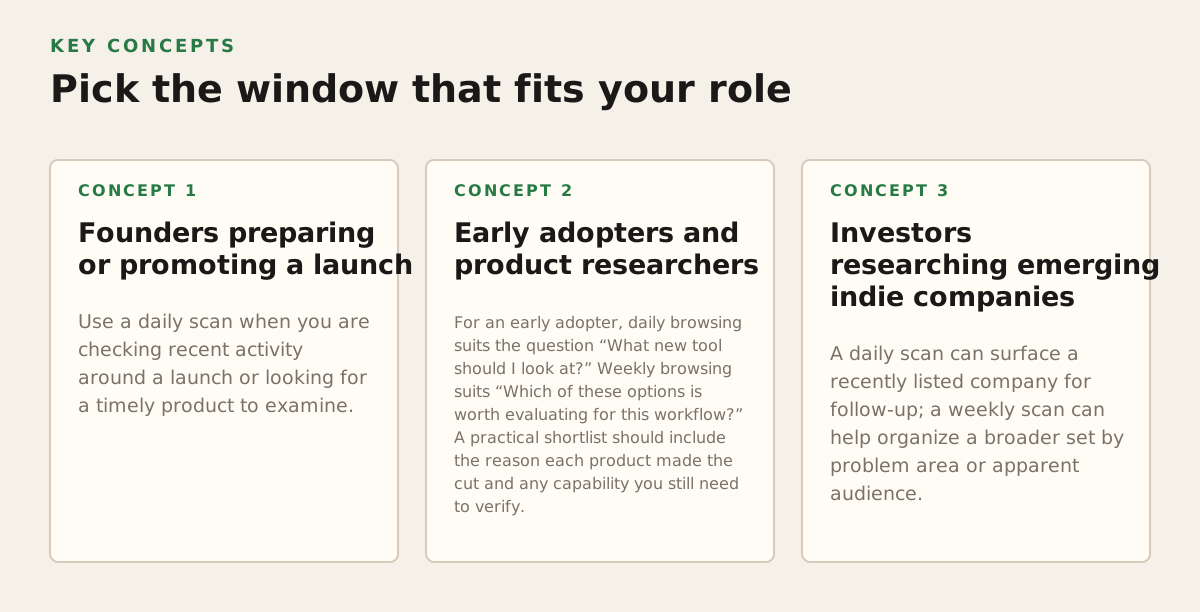
Founders preparing or promoting a launch
Use a daily scan when you are checking recent activity around a launch or looking for a timely product to examine. Use a weekly scan when you are reviewing category language, alternatives, or how other products describe their audience. If your immediate job is publishing, do not let research postpone a clear product page indefinitely: define the question you need answered, gather relevant examples, and move to the launch task when the research has served that purpose.
A founder can make the comparison concrete by reviewing products that address the same user problem and recording only differences that might affect a buyer’s choice. If a weekly review shows several similar descriptions, that is a prompt to investigate how prospective users define the problem—not proof that the category is crowded or that demand is strong. If the descriptions differ, check whether the products actually serve different audiences before treating them as separate market segments.
Early adopters and product researchers
For an early adopter, daily browsing suits the question “What new tool should I look at?” Weekly browsing suits “Which of these options is worth evaluating for this workflow?” A practical shortlist should include the reason each product made the cut and any capability you still need to verify. Product launch copy can help you identify candidates, but use the product’s own information or contact its team when an unverified detail would change your decision.
Investors researching emerging indie companies
A daily scan can surface a recently listed company for follow-up; a weekly scan can help organize a broader set by problem area or apparent audience. Treat those as different research stages. The listing supports discovery, while assessment requires checking the company’s claims and gathering evidence relevant to the investment question. Do not use a launch window or a trending position as a proxy for a company’s underlying performance.
Adopt a small, repeatable browsing routine
A useful routine does not need to turn discovery into a tracking project. It needs a clear question, a consistent scope, and a stopping point. Try this sequence when you are researching a launch, category, or potential product:
- Write the decision first. State whether you need a recent launch, a shortlist, or a broader view of a category.
- Open the matching window. Start with daily for recency and weekly for comparison across a wider set.
- Keep only relevant examples. Note why each product relates to the audience or workflow you are researching; set unrelated launches aside.
- Check the product itself. Verify any audience, capability, or claim that could affect your next decision.
- Choose a next action. Test a suitable product, ask a potential user a focused question, refine launch positioning, or stop when the shortlist is sufficient.
As an illustrative starting policy, a founder in an active launch period might check daily for timely, relevant launches and reserve a separate weekly review for category comparisons. That is a way to assign different jobs to the two windows, not a universal schedule or a claim that more frequent browsing improves outcomes. If daily checks do not produce useful candidates for the current question, reduce them. If a weekly scan contains too many unrelated products, narrow the category or define the user more precisely.
The recommendation is straightforward: browse daily to discover; browse weekly to compare. Keep the question and category consistent, and use what you find to direct further research rather than to infer traction. SuperPublic helps founders publish launches and discover indie products through daily and weekly browsing; explore the platform at SuperPublic.
Authored with NotFair SEO