Founder field note
Founder Launch Profile Template For SaaS: A Copyable Worksheet
Use this founder launch profile template for saas to explain your buyer, product, proof, and launch ask—then tailor it for a clear, credible launch page.
A founder launch profile template for saas gives you a structured way to explain who your product is for, what it helps them do, and why they should take a next step. Copy the worksheet below, fill it with concrete details, and trim anything you cannot support; the result should help a potential user decide quickly whether to try, follow, or share your product.
This guide is for founders preparing a launch page or product listing, especially when the product is early and the proof is still developing. The key decision is not how much you can say. It is which few details will make the product understandable and credible to the right early adopter.
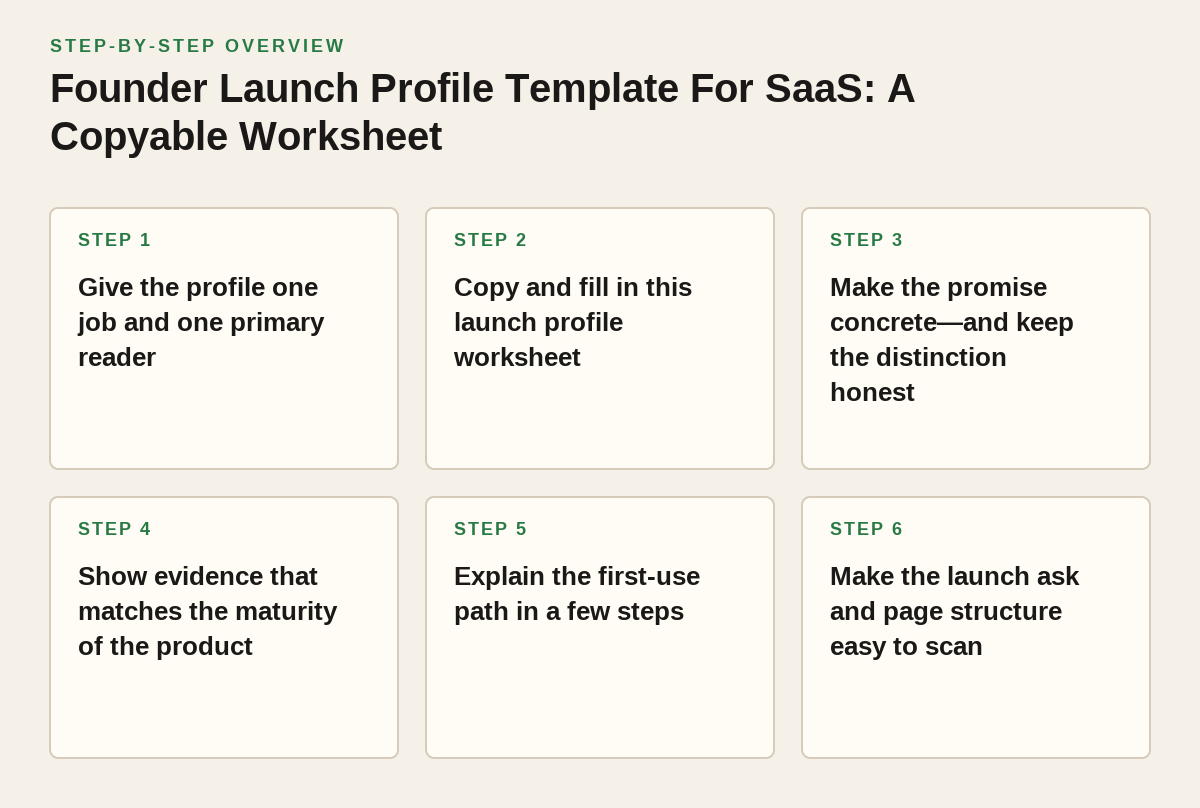
1. Give the profile one job and one primary reader
A profile is a decision aid, not a company history. A visitor should be able to tell whether the product fits their situation and what to do next. Start with one primary reader—such as a solo consultant, a small finance team, or a developer maintaining several projects—rather than trying to write for every possible customer.
Choose the reader before the headline
This is especially useful when your product could serve several audiences. Pick the group most likely to recognize the problem and act on the launch. That focus works because it gives you a test for every sentence: would this detail help that reader decide?
- When it applies: Your homepage currently lists several industries, roles, or use cases.
- Why it works: A specific reader makes the problem and example more concrete.
- Failure mode: Naming a narrow audience without explaining the situation they face.
- Implementation example: Replace “for teams that need better planning” with “for two-person agencies coordinating client deadlines across projects.”
Keep the profile’s primary action equally clear. If you want a visitor to try the product, make that the main ask; if access is not open yet, invite them to request an invitation or follow the launch. Don’t put several competing calls to action at the same level.
2. Copy and fill in this launch profile worksheet
Use this consolidated template as your working draft. The prompts are deliberately specific: they help you describe the product in terms a prospective user can check against their own work. Leave a field out of the public profile if you do not have a useful, accurate answer yet.
Copyable founder launch profile template
| Field | Prompt / question | Your answer |
|---|---|---|
| Product | What is the product called, and what kind of software is it? | [Name and plain-language category] |
| Best-fit user | Who is most likely to get value from it? Be specific about role or situation. | [Describe the buyer or user] |
| Problem | What frustrating task, risk, or delay does that person face? | [Describe the problem in their terms] |
| Outcome | What can the user do more easily or reliably with the product? | [State the practical outcome] |
| How it works | What does the user do first, and what does the product do next? | [One or two concrete steps] |
| Difference | What meaningful trade-off or approach distinguishes it from the obvious alternative? | [Specific distinction, not “better”] |
| Evidence | What can you show today that supports the claim? | [Demo, example, quote, or “not yet”] |
| Launch ask | What single next step should the right reader take? | [Try, request access, follow, or give feedback] |
Worked example: illustrative project handoff software
The example below is fictional and shows the level of detail to aim for; it does not describe a real product or claim measured results.
Product: Handoff Notes, a project handoff tool for small design studios.
Best-fit user: A studio lead passing active client work between designers.
Problem: Important decisions and open questions are scattered across messages and project documents.
Outcome: The incoming designer can see the current status and unresolved decisions in one handoff.
How it works: The lead adds a project summary and open questions; the next designer reviews them before continuing the work.
Difference: It focuses on the handoff moment rather than managing the studio’s entire project workflow.
Evidence: A sample handoff using fictional client details.
Launch ask: View the sample and share one handoff detail that is often missed.
Adapt the fields to your stage. If you have no customer evidence, show a clearly labelled demo or example instead of implying adoption. If several user groups matter, create separate versions of the best-fit-user and problem lines, then choose one as the main profile. The example works because it describes a workflow and a limit, not because it claims the product is superior.
3. Make the promise concrete—and keep the distinction honest
State the job before the category jargon. A useful opening usually combines the product type, the intended user, and a practical outcome. “AI-powered workspace for modern teams” leaves a visitor to guess both the use case and the value. “Draft follow-up emails from your sales call notes” gives them a task to recognize.
This principle matters most when your category is crowded or your product uses familiar building blocks. The mechanism is simple: a reader can compare a specific promise against their own workflow. Stripe’s guidance on startup pitches also emphasizes communicating the problem, solution, and business clearly; use its pitching your company guide as a reference for organizing the story, not as a reason to inflate claims.
- When it applies: The product name or category alone does not explain what a user can do.
- Why it works: A task-based promise gives a visitor a concrete fit check.
- Failure mode: Turning a capability into an unsupported outcome, such as claiming guaranteed savings.
- Implementation example: Change “automated customer insights” to “group incoming support messages by topic for review.”
Describe your difference as a choice, not a victory lap. A product may focus on one workflow rather than offer a broad suite, or favor manual review over automatic actions. That can help a particular buyer even if it is not right for everyone. Say what you optimize for and what you leave out. A credible limitation can make the fit clearer.
4. Show evidence that matches the maturity of the product
Proof should support the exact claim beside it. A screenshot can show that a workflow exists; it cannot establish that users save time. A customer quote can show one person’s experience; it cannot prove a universal result. Match the evidence to the wording and label examples, prototypes, and estimates accurately.
For a product still being shaped, an annotated demo or sample output can make the interaction easier to understand. For a live product, consider a short walkthrough, a representative use case, or a customer statement that you have permission to share. GitHub’s documentation on what a README is for is a useful reminder that a clear project overview helps people understand what a project does and how to engage with it.
- When it applies: A visitor may doubt that the product works as described or may not understand the workflow.
- Why it works: Direct evidence reduces the gap between a claim and what the visitor can inspect.
- Failure mode: Presenting a mockup as a live feature or a planned capability as currently available.
- Implementation example: Label a prototype screenshot “concept preview” and caption the specific action it illustrates.
If you are pre-launch, say what is ready and what remains in progress. That distinction is more useful than vague terms such as “coming soon.” Make uncertainty visible rather than disguising it as traction. If a number, testimonial, or customer logo is not verified and approved for use, omit it.
5. Explain the first-use path in a few steps
A launch profile should make the product’s basic interaction legible, especially when the category is unfamiliar. Explain what a user brings, what they do, and what they receive. This is more actionable than a feature list because it shows how a capability connects to a task.
Write the sequence, not the feature inventory
Try a compact pattern: “Add [input] → do [action] → get [output].” For a fictional invoice reminder tool, that might read: “Add an overdue invoice → choose a reminder tone → review a draft message.” Do not imply automatic sending if the user must review and send the draft themselves.
- When it applies: The product has multiple steps, or visitors may confuse what it does with what they must do.
- Why it works: A short sequence exposes the user’s effort and the product’s role.
- Failure mode: Listing features without showing how they fit together, or hiding required setup.
- Implementation example: Replace “templates, automation, and analytics” with “connect a project, select a template, then review the generated status report.”
Use one representative example rather than describing every possible workflow. If an important constraint affects the first use—such as needing a particular input format—state it near the explanation. For web copy, structure also matters: Nielsen Norman Group’s article on how users read on the web discusses scanning behavior, a reason to use informative headings and short, focused blocks rather than burying the core workflow in a dense paragraph.
6. Make the launch ask and page structure easy to scan
One primary ask gives the profile a clear ending. Choose an action that matches the product’s actual state: try the product if it is available, request access if entry is gated, or leave focused feedback if you are validating a workflow. If you offer more than one route, make one visibly primary and explain the alternative briefly.
Use headings and labels that tell readers what each section contains. Search engines may use page content to generate snippets, and Google notes that snippets can vary by query; its guidance on controlling search snippets is a reason to make the page itself clear rather than relying on a fixed description appearing everywhere. Google also documents how it generates title links, so write a descriptive page title but do not assume the displayed result will always reproduce it verbatim.
- When it applies: Your profile has several sections, or the visitor needs to choose among actions.
- Why it works: Clear labels help a skimmer find the promise, proof, and next step.
- Failure mode: Using several vague buttons such as “Learn more” without saying what happens next.
- Implementation example: Use “View the sample workflow” for a demo link and reserve “Request early access” for the primary launch action.
As a final check, read only the heading, opening line, evidence label, and call to action. If those parts do not explain the product’s intended user, practical use, and next step, reorder or rewrite them before adding more copy.
7. Put the profile into use in a deliberate sequence
Use this order to turn the worksheet into a publishable profile without polishing unsupported claims. It is an illustrative starting process, not a universal timeline: move faster or slower depending on how much of the product and evidence is ready.
- Choose the primary reader. Write one sentence about their role and situation. If you cannot name a specific situation, interview or observe likely users before trying to broaden the profile.
- Fill the worksheet plainly. Draft the problem, outcome, and first-use path in everyday language. Mark uncertain details instead of quietly treating assumptions as facts.
- Select evidence that fits. Pair each important promise with a demo, example, or verified proof. Remove a claim if you cannot substantiate it yet.
- Choose one launch action. Make the ask appropriate to the product’s actual availability and tell readers what the action leads to.
- Test comprehension with a target reader. Ask them who the product is for, what they think it does, and what they would do next. If their answers differ from your intended message, revise the profile rather than explaining it aloud.
- Publish, then update what changes. Keep the profile aligned with the current product. If a workflow, availability, or evidence changes, update the relevant field rather than adding an unrelated announcement to the top.
When the profile is ready, use it wherever a potential early adopter needs a concise explanation of the product. SuperPublic supports launch submissions, published launch pages, product discovery, and founder community participation; you can submit your product launch when that fits your plans. SuperPublic
Authored with NotFair SEO